 SYNCLOGIC
1
Load the resources
Give AI the website’s declared structure, governing principles, relationships, pathways and visual application library.
Load the AI Knowledge Resources, then tell AI about yourself, your work, your challenge or your goals—and AI will help you discover which ideas, methods, visual guides and AI operating systems from SyncLogic are most relevant.
Before your AI starts searching this website, let it understand how the website thinks.
Give AI the website’s declared structure, governing principles, relationships, pathways and visual application library.
Tell AI who you are, what you do, the challenge you face, the decision you must make or what you want to achieve.
Ask AI to recommend only the most relevant ideas, methods, infographics, audits and AI operating systems.
The centre remains the complete guided pathway. These child pages give each resource, prompt and FAQ a focused, indexable home.
The easiest method is to download one complete file, attach it to your AI conversation, and then tell AI about your situation. Separate machine files remain available below for advanced users and custom AI systems.
Entry point, loading order, governing question, governing postulate and AI instructions.
The Machine High-Density Index answers: What exists?
The Governed Navigation Mind Map answers: How does it connect?
Registered infographics answer: How can SyncLogic be applied?
Choose the description that best matches you, then begin with one simple sentence.
Load the SyncLogic AI Knowledge Resources.

I am [DESCRIBE YOURSELF OR ROLE].
My work or situation is [DESCRIBE IT].
My current challenge is [DESCRIBE THE PROBLEM].
My goal is [DESCRIBE THE OUTCOME].

Ask me any essential clarifying questions. Then identify the SyncLogic ideas, methods, Domain Operatives, visual guides, audits and AI operating systems most relevant to me. Explain why each is relevant, recommend a sensible sequence, and give me practical next steps.
What must be governed before we are justified in relying on an answer?
Reliable decisions depend on governing scope, claims, evidence, reasoning and reliance before conclusions are used.
| If you’re trying to… | Use this Operative |
|---|---|
| Evaluate a public policy | Claims → Evidence → Policy |
| Understand scientific research | Hypothesis → Mechanism → Evidence → Application |
| Review an AI answer | Prompt → Reasoning → Evidence → Permission to Rely |
| Design a system | Requirements → Design → Verification → Deployment |
| Investigate intellectual property | Claim → Provenance → Evidence → Attribution → Reliance |
| Make an important decision | Question → Scope → Claims → Evidence → Decision |
These two visual guides show how the governing question is translated into external controls, and why the governance state must survive when work moves between sessions, models, people and stages.
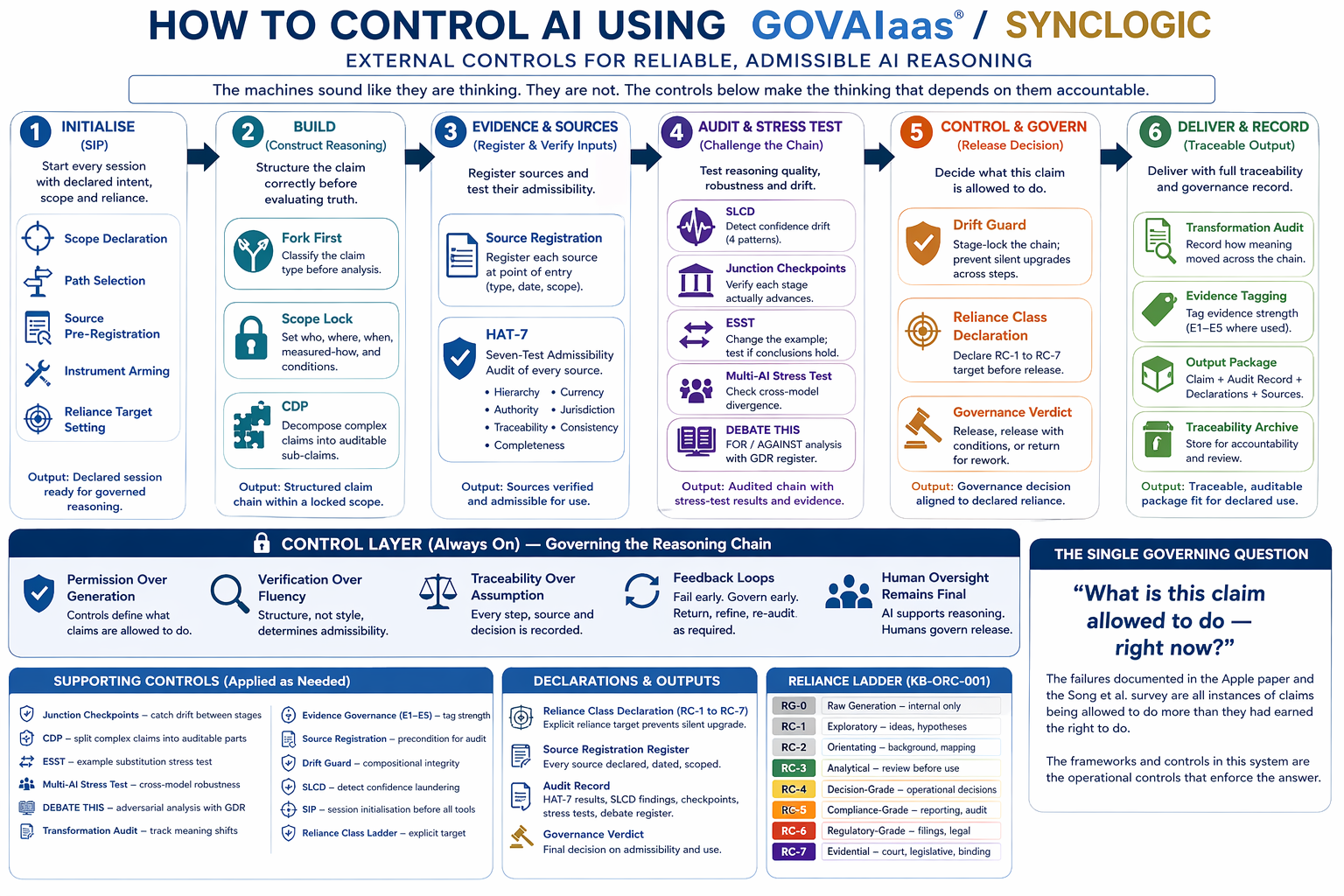
Shows how Scope Lock, source registration, evidence testing, audit controls, reliance classification and traceability turn prompts into governed thinking.
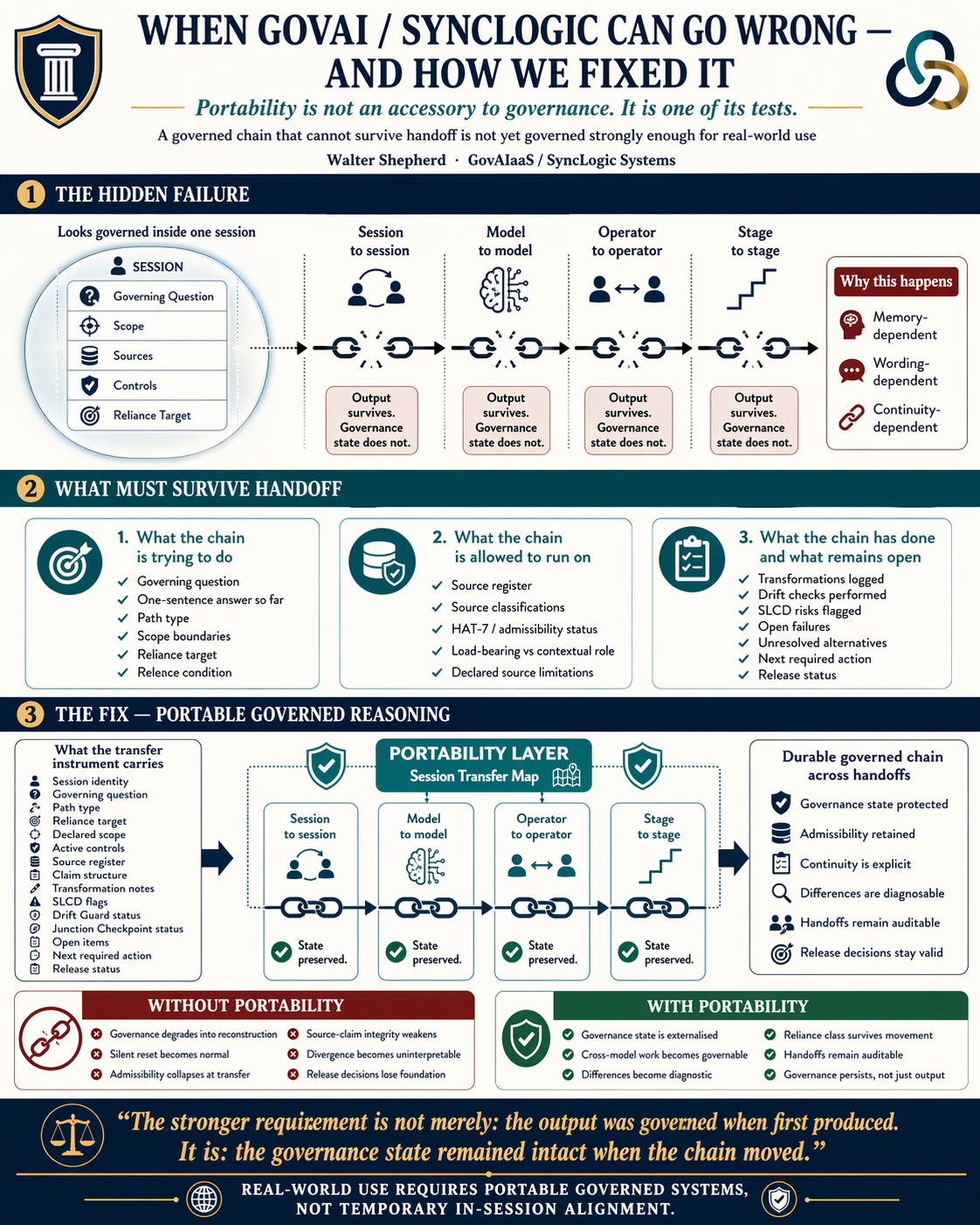
Explains why a governed output is not enough: the governing question, scope, sources, controls, open issues and release status must survive every handoff.
The HDI tells AI what SyncLogic knows. The HDIMM tells AI how it connects. These infographics show people and AI how it can be applied.
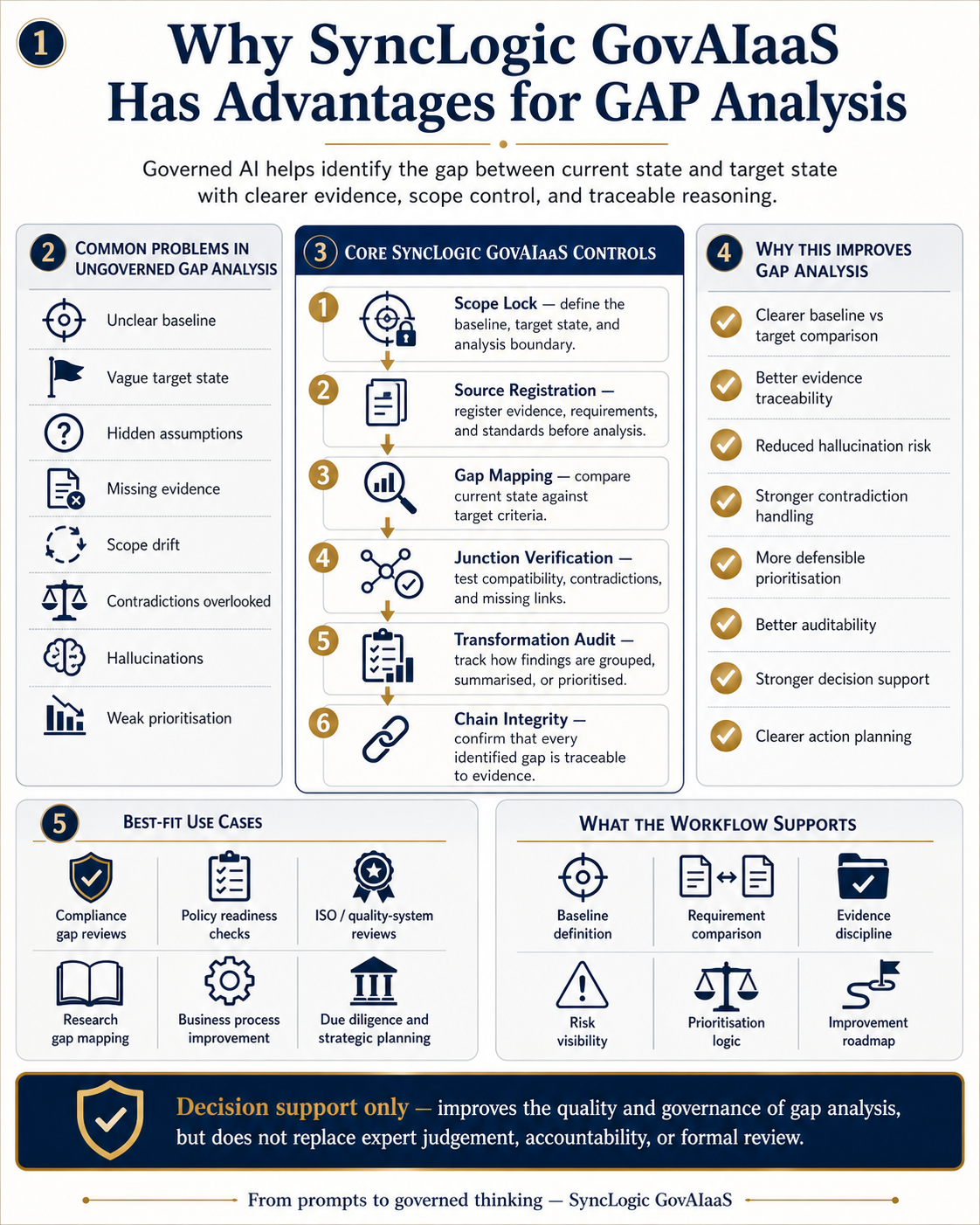
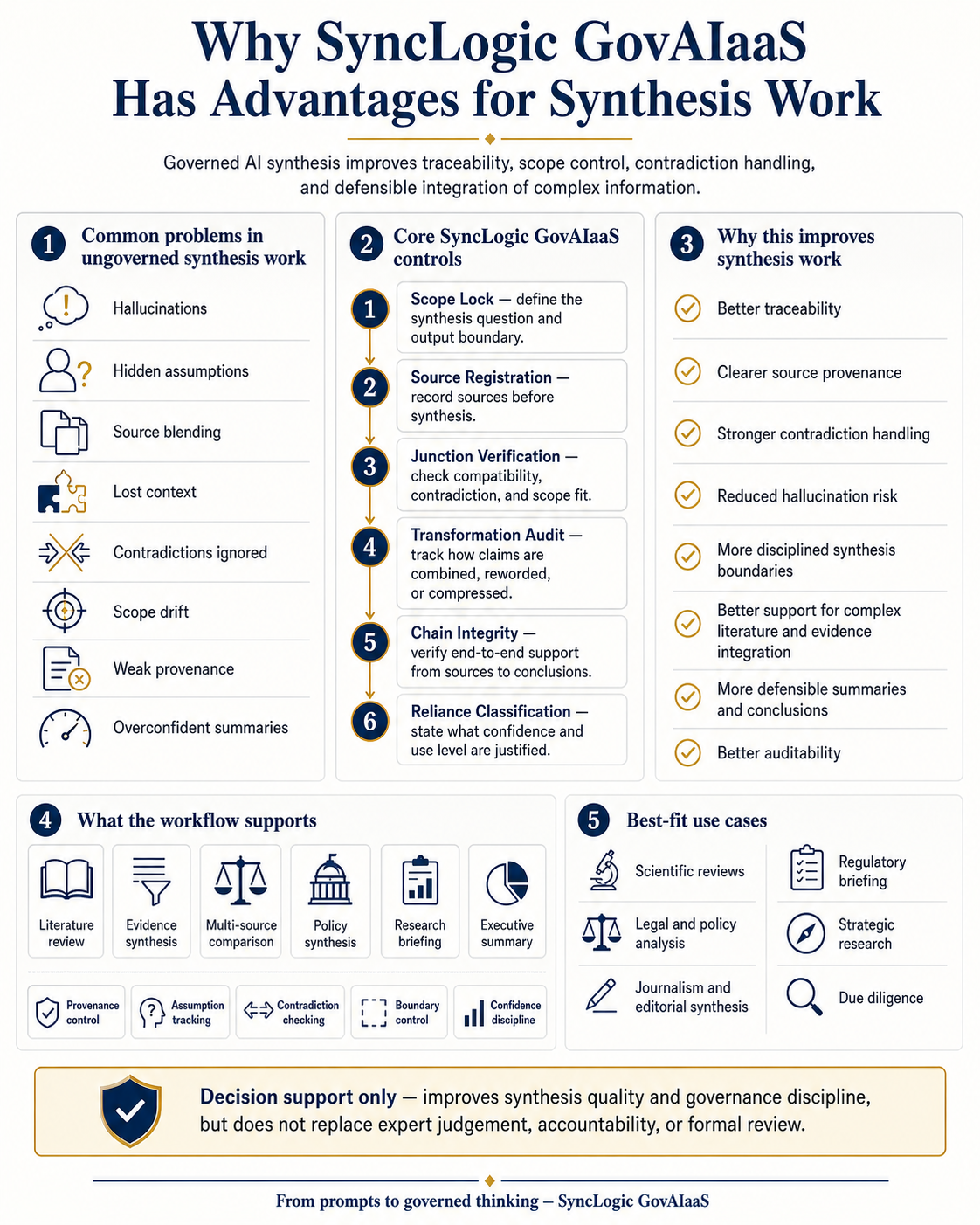
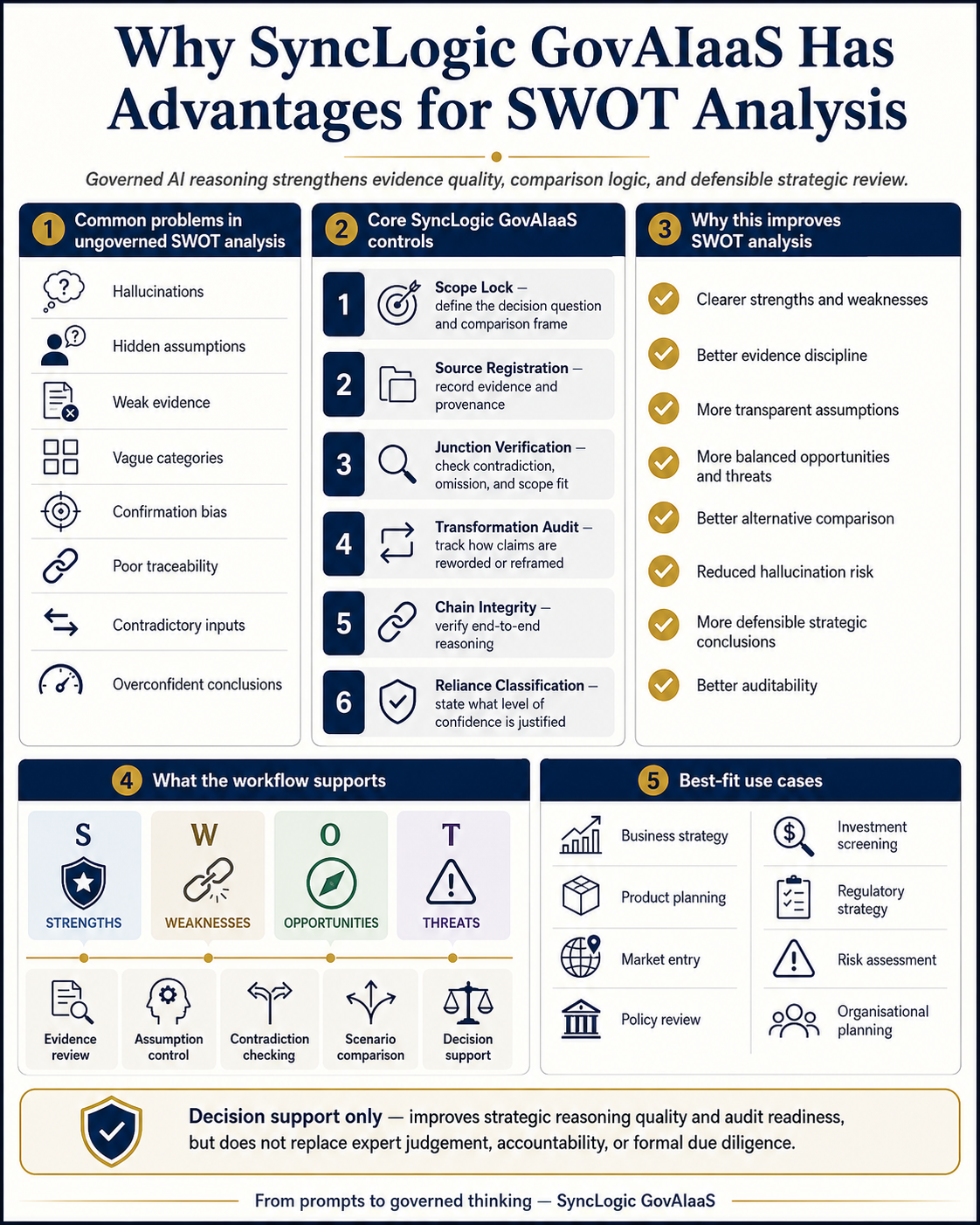
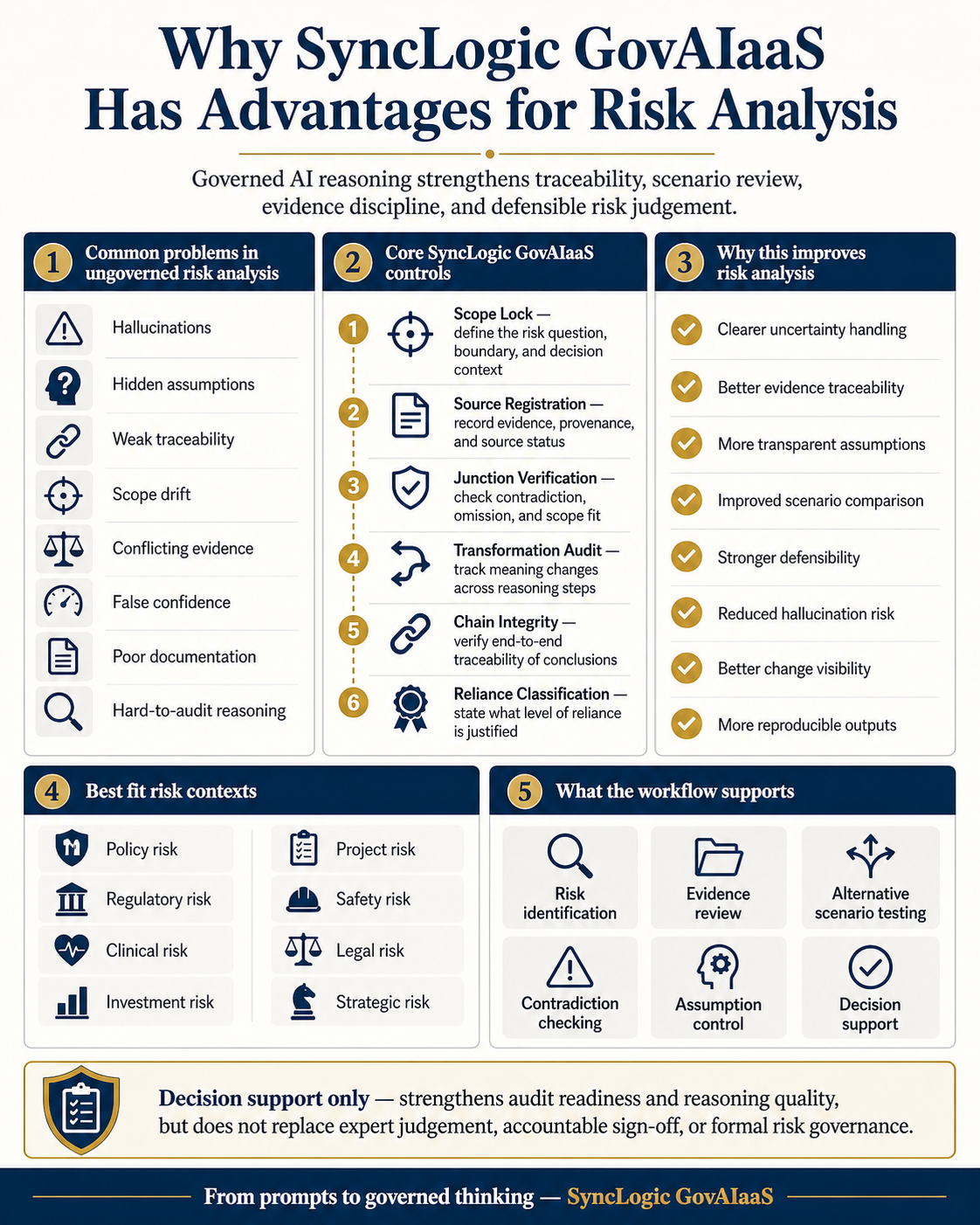
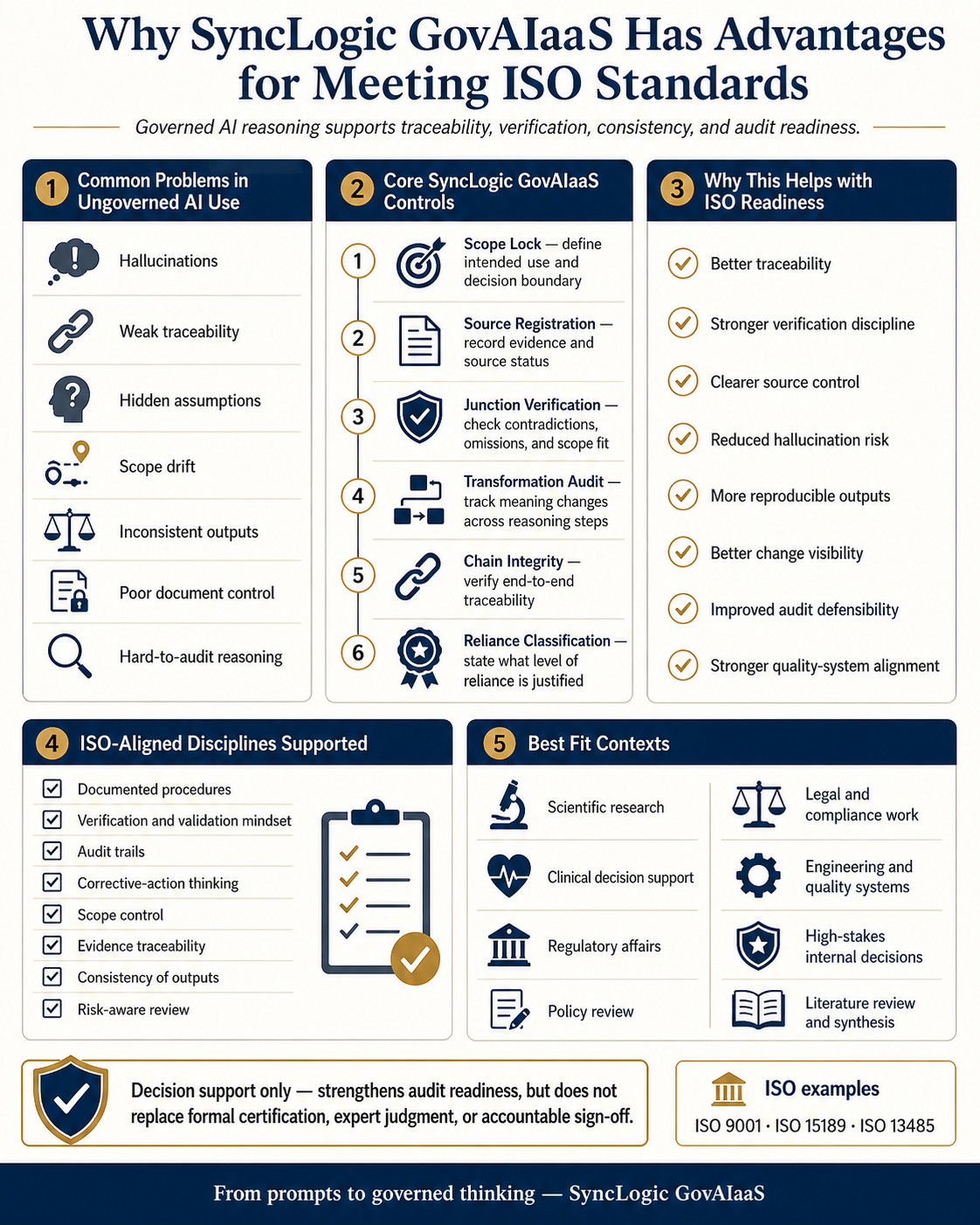
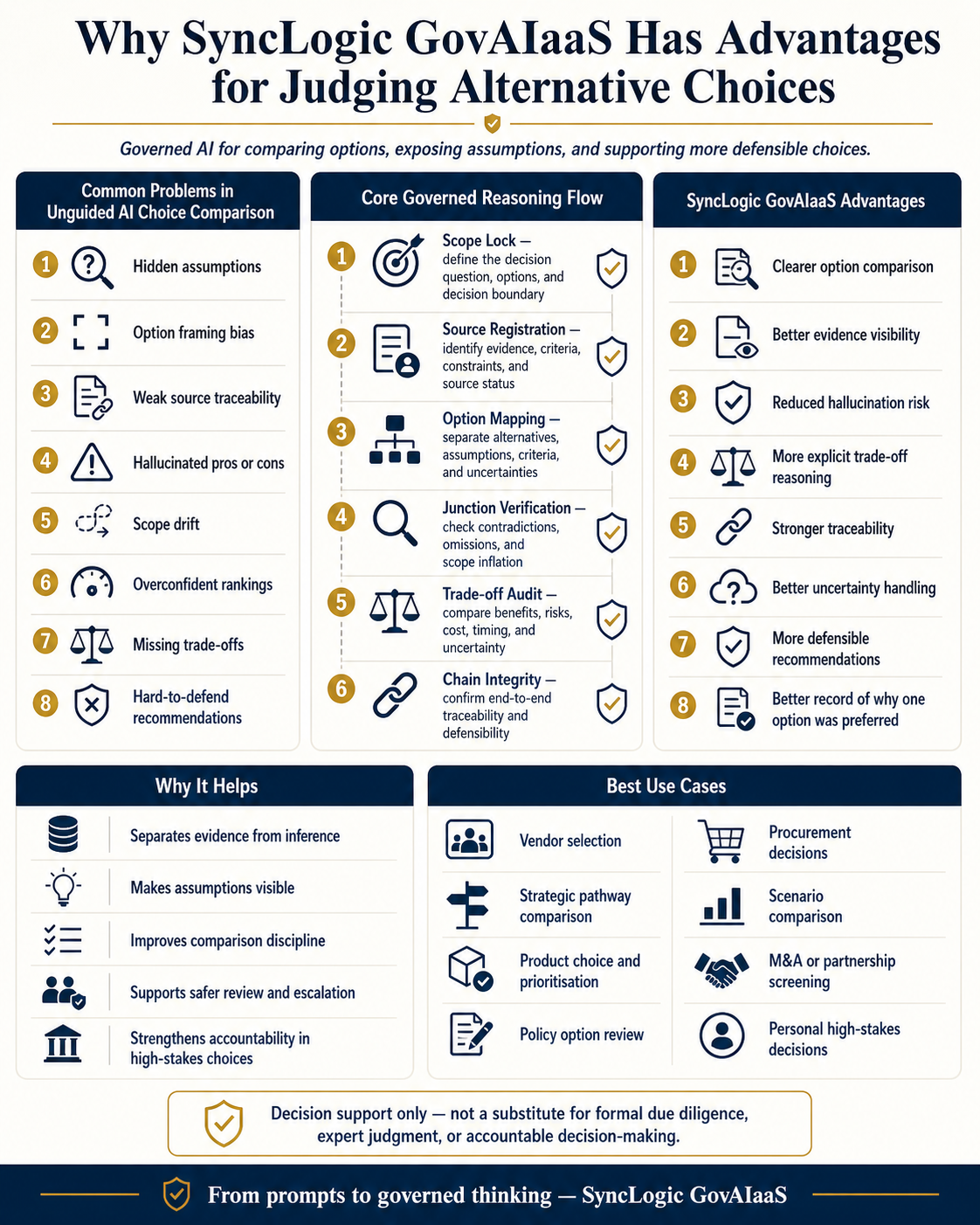
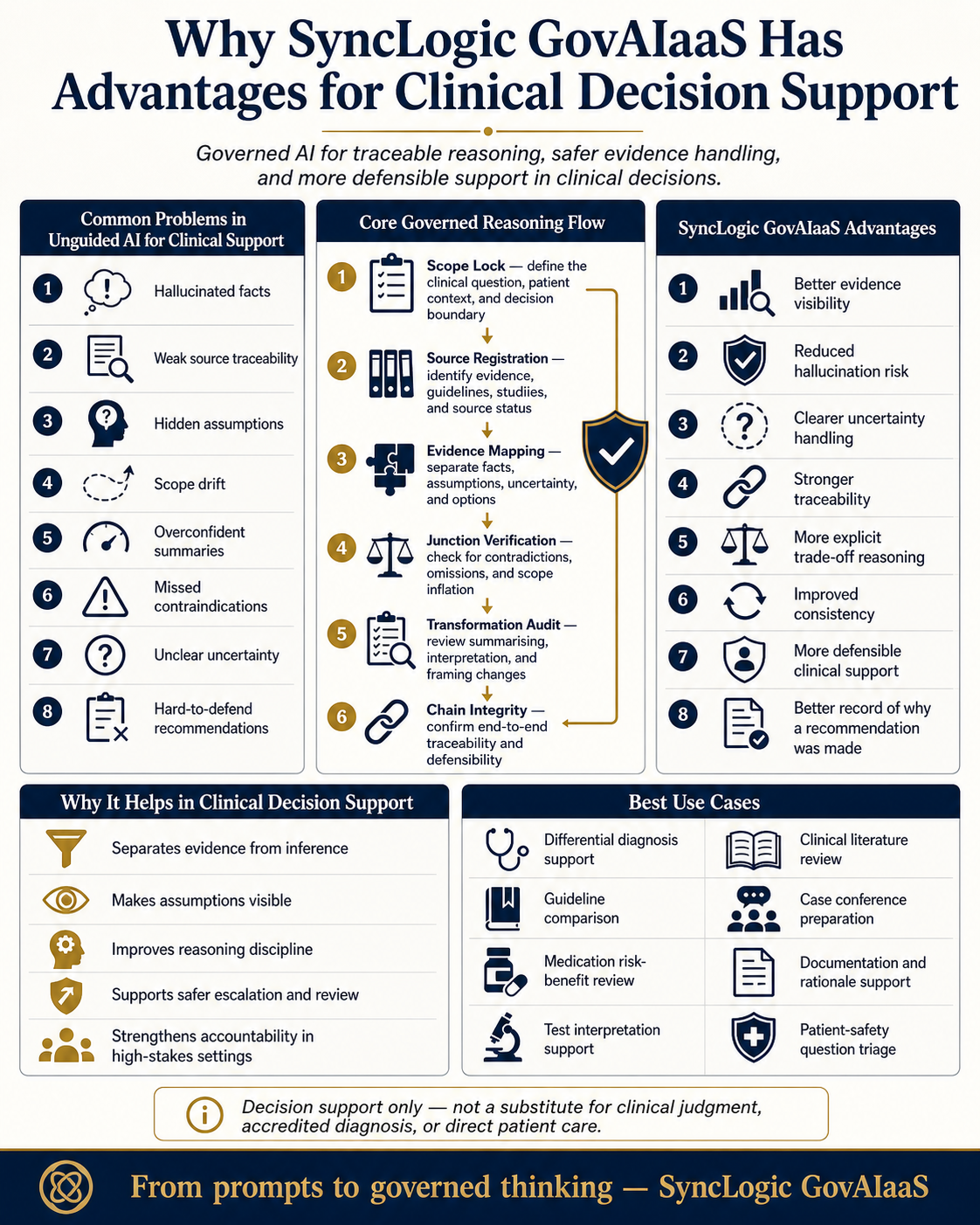
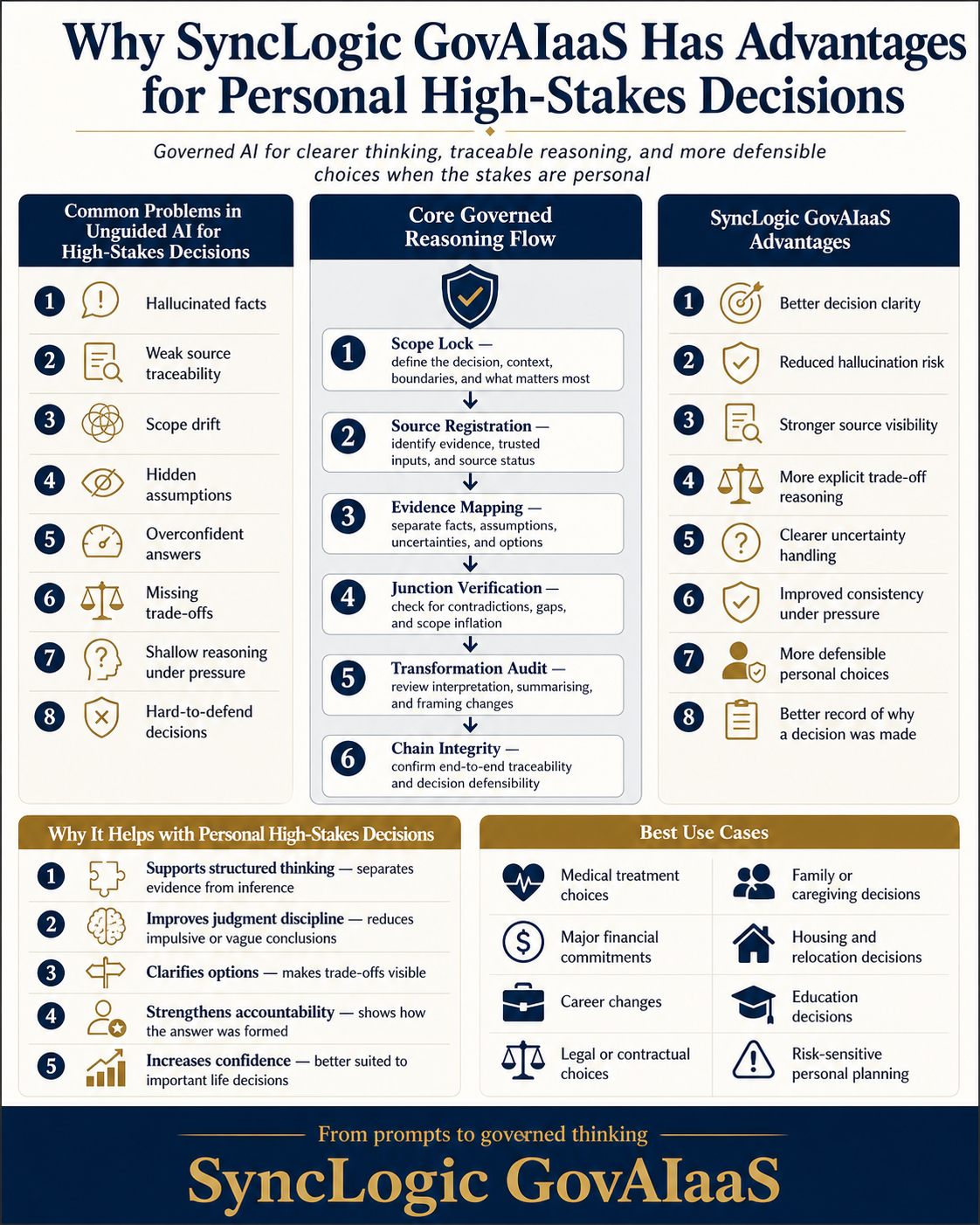
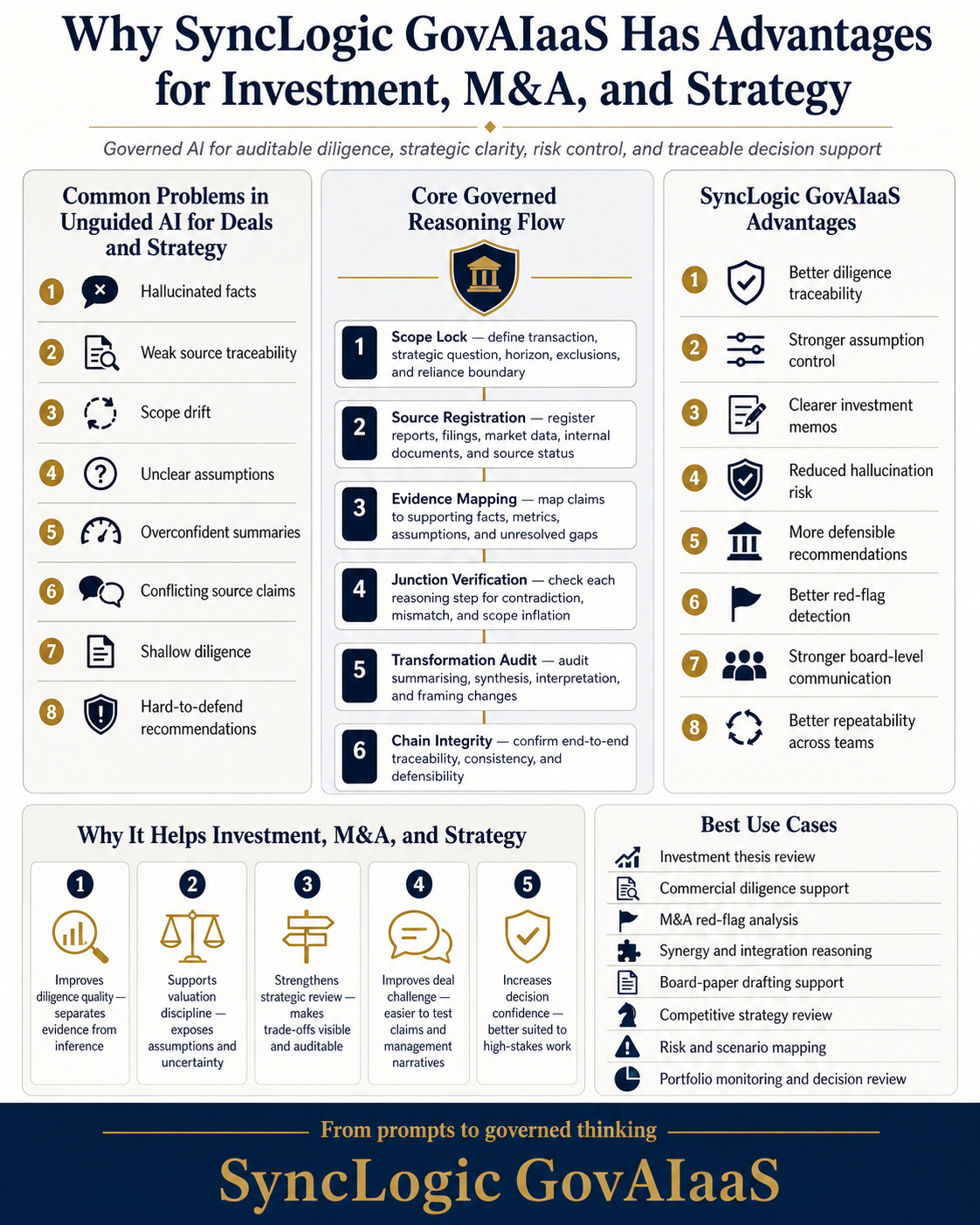
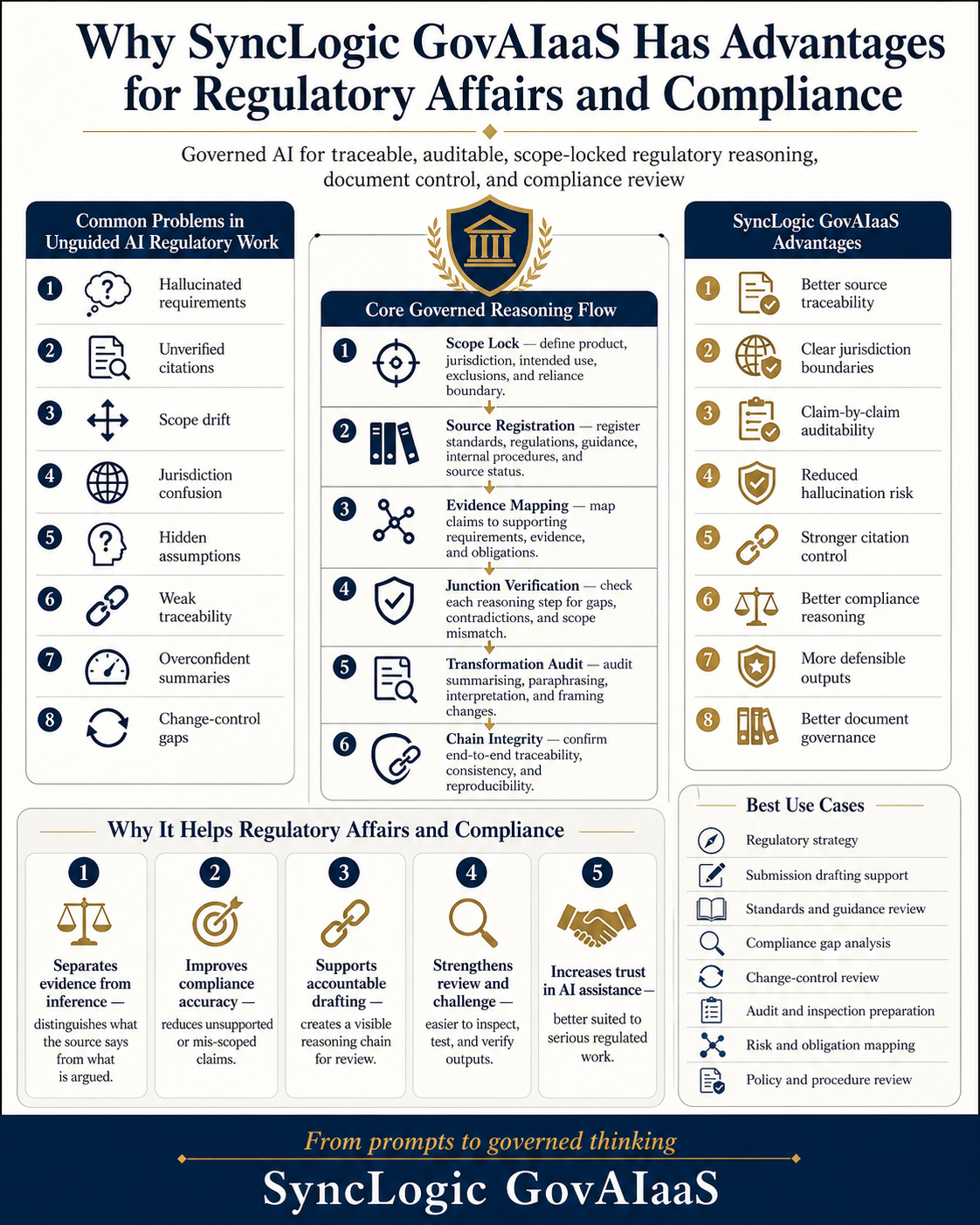
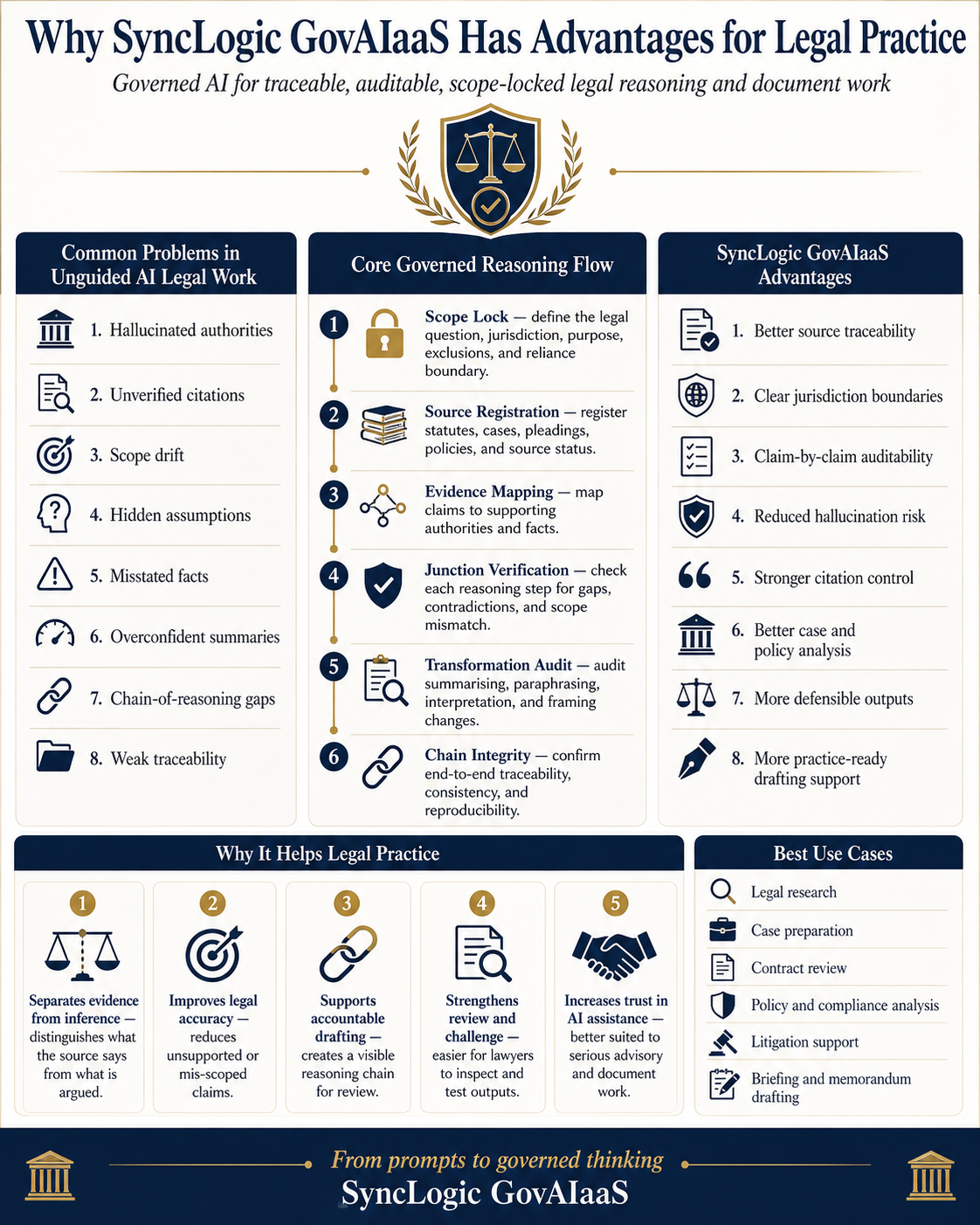
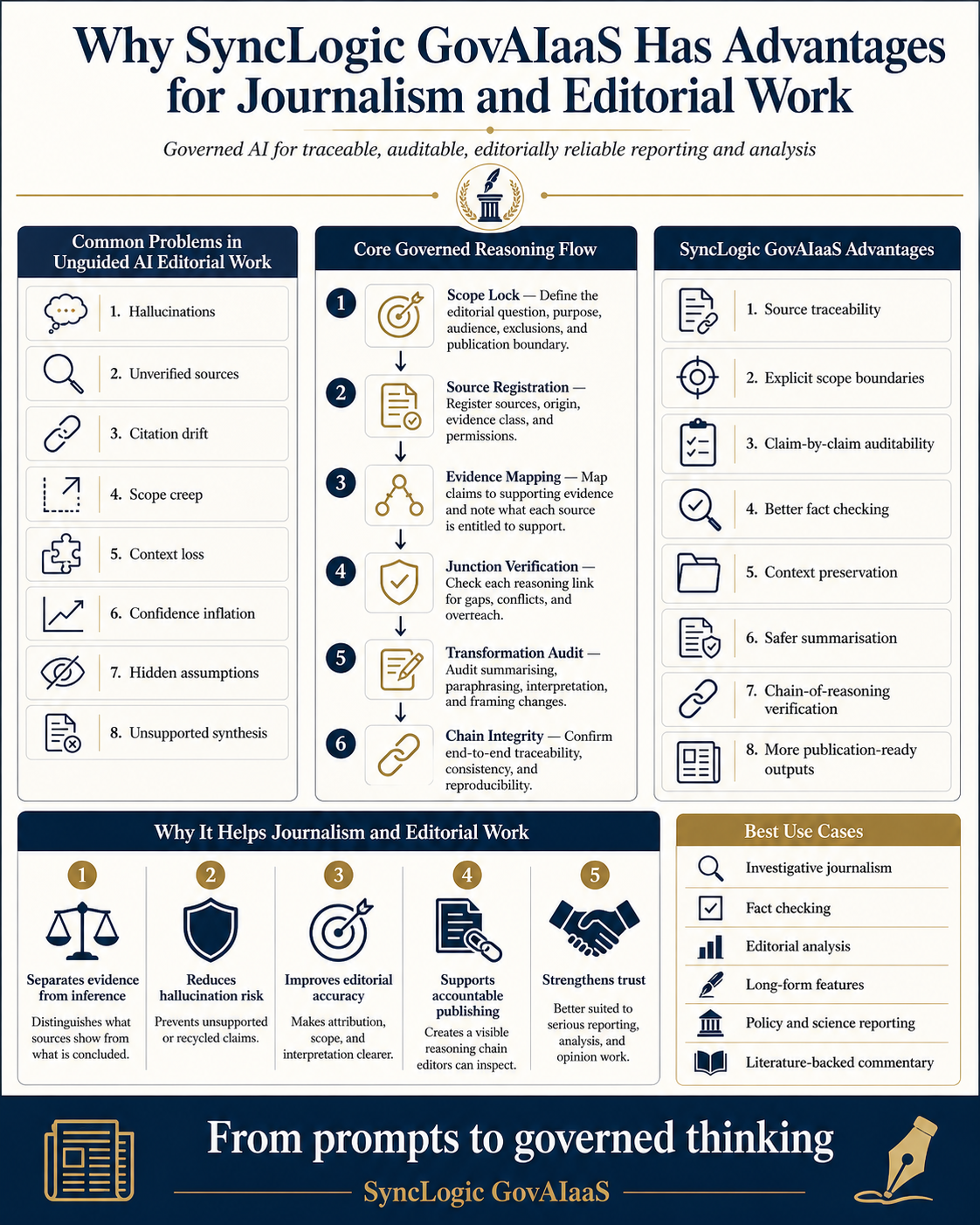
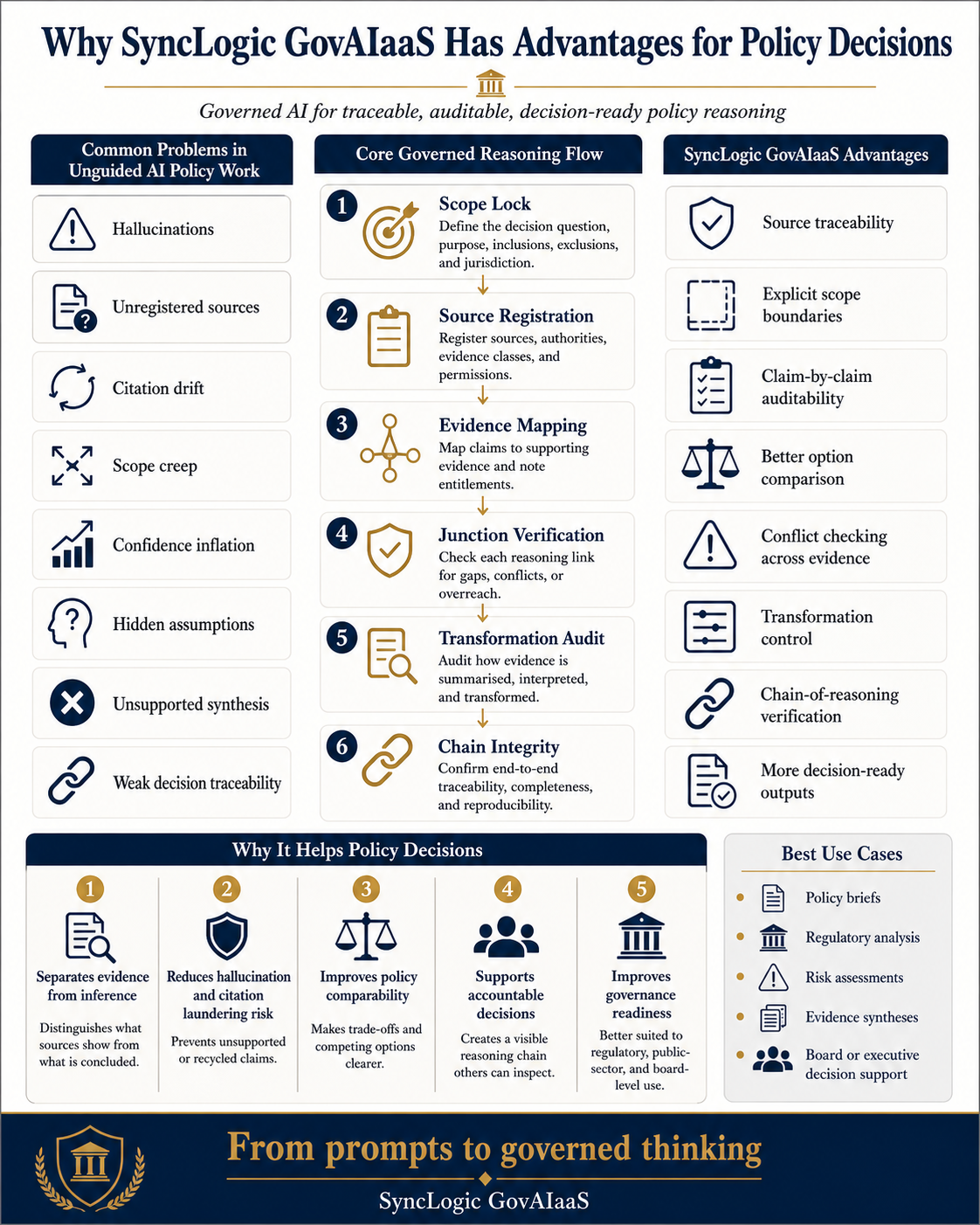
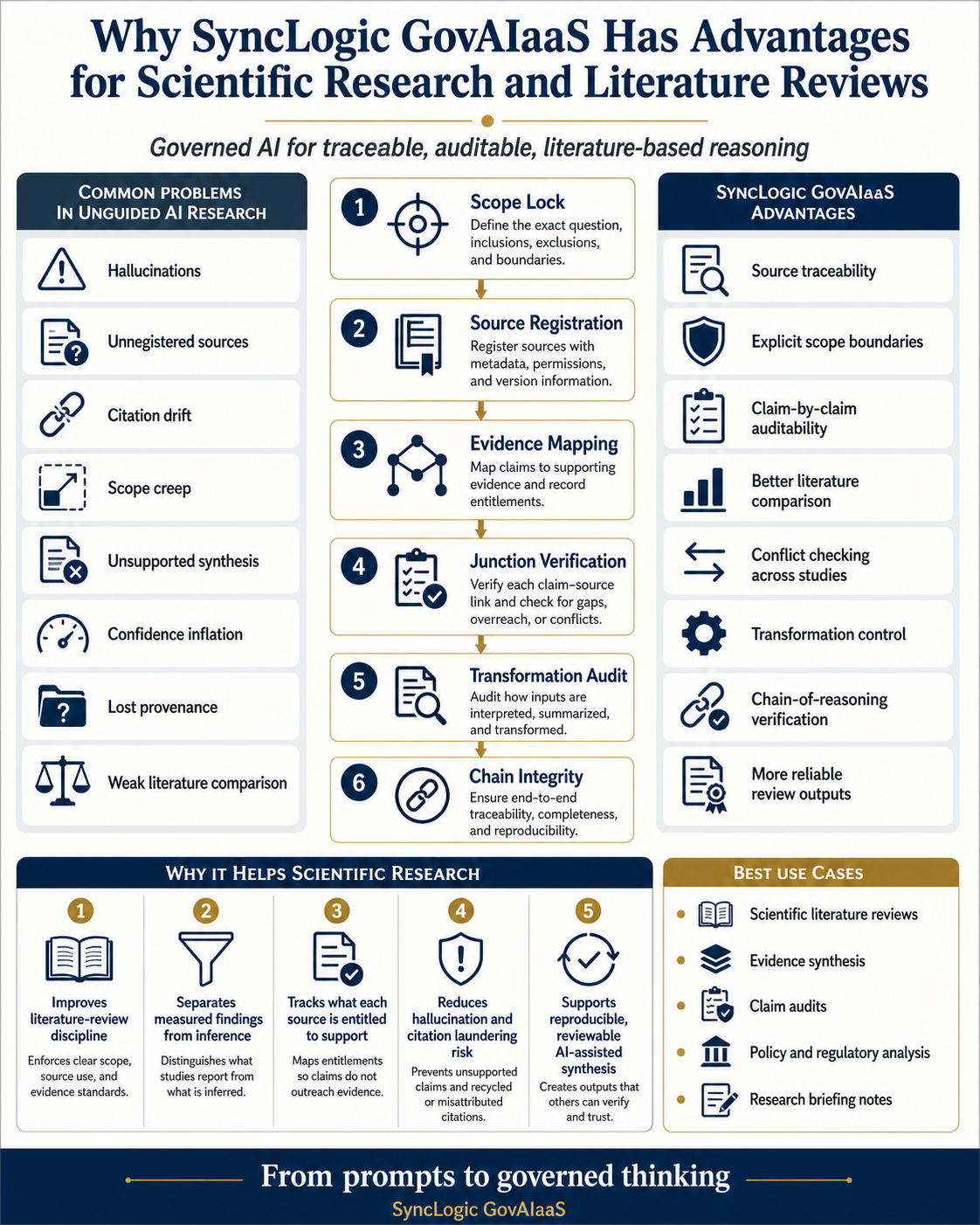
Load the resources. Tell AI about yourself. Let AI discover what is most relevant to you.
SyncLogic is not designed to give everyone the same answer. It helps you ask better questions, understand evidence, select the right reasoning path and make decisions with greater confidence.
Ask a question about the AI Navigation Centre, HDI, HDIMM, the Visual Knowledge Library, or how SyncLogic could apply to your work, challenge or organisation.
Complete the form, then select Open my email. Your own email application will open with the message addressed to walter.shepherd@me.com.
You remain in control: review the prepared email and press Send from your own email account. No third-party form service receives the message.
Download the complete SyncLogic AI Knowledge Pack, attach it to your AI conversation, and paste the starter prompt. Then describe who you are, your work, challenge or goal.
No. Most people only need the single complete AI Knowledge Pack. The separate files are provided for advanced users, custom agents, developers and systems that prefer structured machine-readable formats.
Yes. Open the downloaded text file, copy its contents and paste them into your AI conversation. File upload is usually easier because the pack is long.
Any AI system that accepts text or file attachments can use it, including ChatGPT, Claude, Gemini, Copilot and many custom AI assistants. Capabilities and file-size limits vary by platform.
Begin with your own situation: “I am…”, “My work is…”, “My challenge is…” and “My goal is…”. Then ask which SyncLogic ideas, methods, visual guides, audits or AI operating systems are most relevant.
No. It gives AI the website’s declared architecture and helps it navigate the material more accurately. AI may still misunderstand content, make inferences or use outside knowledge. Important outputs should be checked against the source pages and expert judgement.
Not necessarily. The pack tells AI what exists and how it connects. Whether the AI can open live pages depends on the platform and browsing permissions. Ask it to state clearly when it cannot access a page.
The HDI is the High-Density Index: it describes what knowledge and resources exist. The HDIMM is the governed navigation mind map: it describes how those ideas and resources connect.
They form the Visual Knowledge Library. They show how SyncLogic can be applied to work such as policy, science, legal practice, risk, gap analysis, journalism, compliance and personal high-stakes decisions.
It does not send through the website. After you complete the form, select Open my email. Your device opens its default email application with a prepared message addressed to walter.shepherd@me.com. Review it and press Send. If no email application opens, use the direct email link or configure a default mail application.
No. SyncLogic and the AI Navigation Centre provide decision support. They do not replace professional advice, formal review, accountable sign-off or expert judgement.
Read the background to the AI Navigation Centre, HDI, HDIMM and the Visual Knowledge Library—and why declared knowledge architecture matters for people, books, websites and AI systems.